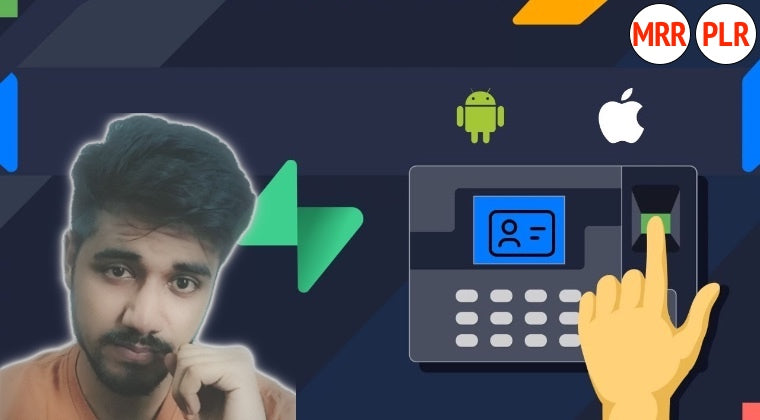
Build an Employee Attendance System with Flutter & Supabase
Build an employee-attendance learning project with Flutter and Supabase.
From $67.81 Choose a license
- Format
- Course
- Lessons
- 31
- Licenses
- PLR · MRR
What's in the PLR package
- Build an Employee Attendance System with Flutter & Supabase.zip 4.2 GB
- Sales copy (Word document) Description 13 KB
Download links unlock in your account right after purchase.
Curriculum
Course content
- Video lesson: Course Promotional VideoFree preview2m
Project Configuration
- Lesson: Create a Flutter Project
- Lesson: Initialize Supabase Client
Authentication
- Lesson: Create a Login Screen
- Lesson: Create a Register Screen
- Lesson: Create Auth Service Class
- Lesson: Method to Register Employee
- Lesson: Method to Login and Sign out
- Lesson: Assign Methods to UI
Database
- Lesson: Creating User Model and Db Tables
- Lesson: Creating Database Service Class
- Lesson: Handle User Auth State
- Lesson: Work on Home Screen
Work on Attendance Screen
- Lesson: Work on Attendance UI
- Lesson: Implement Slide to Check in
- Lesson: Function get User Data
- Lesson: Attendance Table and Service Class
- Lesson: Function to mark attendance
Work on Attendance History
- Lesson: Function to get attendance history
- Lesson: Work on User Interface
- Lesson: Show the history data
- Lesson: Function to get Employee Location
- Lesson: Store location while check in
Work on Profile Screen
- Lesson: Function to get all departments
- Lesson: Function to update profile data
- Lesson: Dropdownmenu to select department
- Lesson: Work on Signing out
Enable Row Level Security
- Lesson: Policies for Attendance Table
- Lesson: Policies for Departments table
- Lesson: Policies for Employees Table
- Lesson: Test the Complete Application
What you'll learn
- Authenticate users effectively.
- Implement the check-in/check-out functionality.
- Understand data sharing between application components.
- Store and manage employee location data using Supabase.
- Build real-world mobile applications that showcase your skills.
About this course
Build an employee-attendance learning project with Flutter and Supabase. This course connects registration and login with attendance recording, history, location and profile information, showing how an application feature spans interface and backend code.
Trace attendance from check-in to history
The project begins with Flutter configuration and Supabase initialization. Login and registration screens connect with an authentication service, while user models and database tables establish the app’s data structure. Attendance lessons develop the interface, slide-to-check-in behavior and a service for marking attendance.
- Implement employee registration, login and signout.
- Build attendance screens and record attendance data.
- Fetch and display attendance history.
- Follow location capture at check-in and profile updates.
- Enable row-level security and review policies for attendance, departments and employees.
The training suits learners with a Flutter foundation who want a business-application project to follow. A compatible Flutter environment and separate Supabase access are needed. Use synthetic employee information when practicing. The location and attendance features also make access controls and appropriate data handling central considerations when adapting the learning project for an organization.
PLR allows you to modify, rebrand and resell the course. Its specific attendance workflow offers a practical topic for a Flutter catalog, with your own environment guidance and explanations of how the demonstrated features connect.
Who this course is for
- Aspiring mobile app developers looking to build practical applications.
- Beginner to intermediate programmers wanting to enhance their skill set with Flutter and Supabase.
- Human resource professionals aiming to modernize attendance management systems.
- Students seeking to develop mobile apps for academic or personal projects.
License rights
| Right | PLR | MRR |
|---|---|---|
| Selling the course | ||
| Product may be sold separately | YES | YES |
| Product may be bundled with other products | YES | YES |
| Product can be a bonus for another product | YES | YES |
| Can be sold as a physical product | YES | YES |
| Can be sold as a digital product | YES | YES |
| Passing on rights | ||
| Can offer Resale Rights | NO | YES |
| Can offer Master Resale Rights | NO | NO |
| Can offer Private Label Rights | NO | NO |
Show all 23 rights Show fewer rights
| Right | PLR | MRR |
|---|---|---|
| Memberships, bonuses and lists | ||
| Can be added to paid membership sites | YES | YES |
| Can add bonuses to the Product for sale | YES | YES |
| Can be used to build a list | YES | YES |
| Rebranding and editing | ||
| You may put your own name on the sales letter | YES | YES |
| You may rename the product | YES | YES |
| You may edit the sales material | YES | YES |
| You may edit the content of the product | YES | YES |
| You may use the source code/material to create new products | YES | YES |
| You may use the name(s) of the author/creator/seller of the Product | YES | YES |
| Can translate the course into other languages | YES | YES |
| Not allowed with any license | ||
| Can be used for YouTube or other free video sites | NO | NO |
| Can be added to free membership sites | NO | NO |
| Can be given away for free | NO | NO |
| Can be used or sold on Uthena | NO | NO |
| Can be used or sold on Soofos, Udemy, Skillshare or other course marketplaces you don't own | NO | NO |
Questions
What do I receive with a PLR or MRR license?
Downloadable package available; online curriculum listed. Check the file list and curriculum below for contents. PLR and MRR include a license key. Sales copy, editable formats and extras depend on the supplied package; check the listed contents.
Do I need PLR or MRR?
PLR lets you rebrand, edit and sell the course as your own. MRR adds the right to let your buyers resell it. If you only sell the course yourself, PLR is enough.
What does lifetime access mean?
You can follow the course online for as long as it is available on Uthena. Downloadable files are guaranteed for 12 months from your purchase, so download them and keep your own copy.
Can I cancel my order?
Yes, within 7 days of your purchase: request a refund from your Uthena account. After 7 days an order can no longer be cancelled.
What if I want to speak to someone?
Email info@uthena.com, or support@uthena.com about an order, or use the contact form. We reply within two business days.
Related courses
-
Programming Courses -
AI Courses YouTube Long Form Content Masterclass
Lambros Lazopoulos from $57.00 PLR -
Business Courses How to Become a Presales Professional: Roadmap to Success
Joseph Holbrook from $69.00 PLR -
Business Courses Mastering Unified Communication & Skype for Business in 2024
Peter Alkema $79.00 PLR