Learn To Create Face Recognition Door Lock With Raspberry Pi
By Arbaz Khan
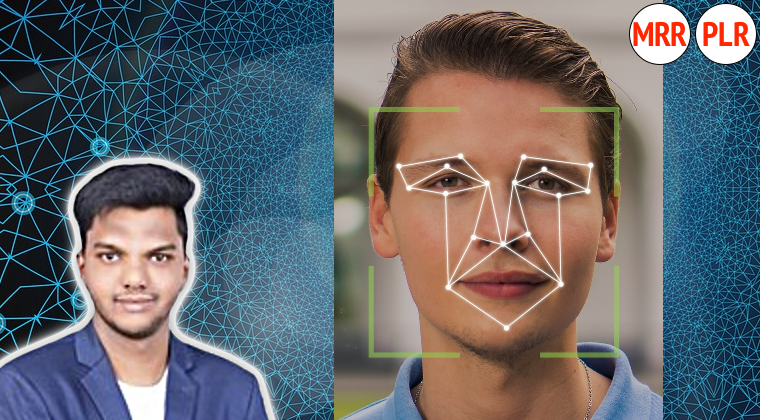
This project course brings together Raspberry Pi, a camera, Python and AWS Rekognition to demonstrate a face-recognition door-lock system.
From $67.81 Choose a license
- Format
- Course
- Lessons
- 18
- Licenses
- PLR · MRR
What's in the PLR package
- Learn To Create Face Recognition Door Lock With Rsaberry Pi.zip 4.8 GB
- Sales copy (Word document) Description 13 KB
Download links unlock in your account right after purchase.
Uthena newsletter
Get 10% off this course
Join the newsletter for new courses and deals. Your code shows right after you sign up.
Curriculum
Chapter 0
- Lesson: Resources
Chapter 1
- Video lesson: IntroFree preview1m
- Lesson: Promo
- Lesson: Learn To Create Face Recognition Door Lock
Chapter 2
- Lesson: Components
Chapter 3
- Lesson: Create Aws
- Lesson: AWS Setup
Chapter 4
- Lesson: Rpi Vscode
- Lesson: Camera
Chapter 5
- Lesson: Indexfaces
- Lesson: Open door
- Lesson: Recognition
- Lesson: Open door
Chapter 6
- Lesson: Face Recognition LED
- Lesson: Door Lock With Relay
- Lesson: Push Button Bell Press
- Lesson: Motion Sensor Door Lock
- Lesson: Adding Voice To Door Lock
What you'll learn
- The fundamentals of creating a Raspberry Pi Face Recognition Door Lock.
- How to utilize AWS Face Recognition services effectively.
- Python programming related to the project.
About this course
This project course brings together Raspberry Pi, a camera, Python and AWS Rekognition to demonstrate a face-recognition door-lock system. It follows the components and software setup through recognition and door-control features, making the integration itself the focus of learning.
Connect recognition with a physical response
The curriculum covers creating and configuring AWS access, working with the Raspberry Pi in VS Code and setting up the camera. It then moves into indexing faces, recognition and opening the door. Later lessons extend the project with LEDs, relay control, a push-button bell, a motion sensor and voice.
- Explore the components used for the Raspberry Pi project.
- Set up the AWS services demonstrated in the course.
- Capture images and work with face-recognition steps.
- Connect the recognition workflow to a relay-based door lock.
- Explore additional input and feedback features.
The course also describes emailing an image when an unrecognized face is detected. The course suits electronics enthusiasts interested in how cloud recognition services and physical hardware can work together. It is a learning prototype rather than a certified access-control system. Following the build requires compatible Raspberry Pi hardware, a camera, the relevant electronic components and separate AWS access; hardware and service costs are separate.
PLR buyers can adapt and resell this Raspberry Pi training under their own brand. Its specific hardware-and-cloud project can serve a maker education catalog with a clear description of the technologies and build demonstrated.
Requirements
- No prior experience or prerequisites are needed, just a passion for learning!
Who this course is for
- Enthusiasts interested in developing a Face Recognition Door Lock.
- Anyone curious about the integration of facial recognition technology in security systems.
License rights
| Right | PLR | MRR |
|---|---|---|
| Selling the course | ||
| Product may be sold separately | YES | YES |
| Product may be bundled with other products | YES | YES |
| Product can be a bonus for another product | YES | YES |
| Can be sold as a physical product | YES | YES |
| Can be sold as a digital product | YES | YES |
| Passing on rights | ||
| Can offer Resale Rights | NO | YES |
| Can offer Master Resale Rights | NO | NO |
| Can offer Private Label Rights | NO | NO |
Show all 23 rights Show fewer rights
| Right | PLR | MRR |
|---|---|---|
| Memberships, bonuses and lists | ||
| Can be added to paid membership sites | YES | YES |
| Can add bonuses to the Product for sale | YES | YES |
| Can be used to build a list | YES | YES |
| Rebranding and editing | ||
| You may put your own name on the sales letter | YES | YES |
| You may rename the product | YES | YES |
| You may edit the sales material | YES | YES |
| You may edit the content of the product | YES | YES |
| You may use the source code/material to create new products | YES | YES |
| You may use the name(s) of the author/creator/seller of the Product | YES | YES |
| Can translate the course into other languages | YES | YES |
| Not allowed with any license | ||
| Can be used for YouTube or other free video sites | NO | NO |
| Can be added to free membership sites | NO | NO |
| Can be given away for free | NO | NO |
| Can be used or sold on Uthena | NO | NO |
| Can be used or sold on Soofos, Udemy, Skillshare or other course marketplaces you don't own | NO | NO |
Questions
What do I receive with a PLR or MRR license?
Downloadable package available; online curriculum listed. Check the file list and curriculum below for contents. PLR and MRR include a license key. Sales copy, editable formats and extras depend on the supplied package; check the listed contents.
Do I need PLR or MRR?
PLR lets you rebrand, edit and sell the course as your own. MRR adds the right to let your buyers resell it. If you only sell the course yourself, PLR is enough.
What does lifetime access mean?
You can follow the course online for as long as it is available on Uthena. Downloadable files are guaranteed for 12 months from your purchase, so download them and keep your own copy.
Can I cancel my order?
Yes, within 7 days of your purchase: request a refund from your Uthena account. After 7 days an order can no longer be cancelled.
What if I want to speak to someone?
Email info@uthena.com, or support@uthena.com about an order, or use the contact form. We reply within two business days.
Related courses
-
Programming Courses -
Programming Courses Mastering Software Automation Testing for Quality, Risk & Reliability
Peter Alkema $79.00 PLR -
Programming Courses Mastering Linux Automation: Shell Scripting Concepts & Operations
Peter Alkema $79.00 PLR -
Programming Courses Mastering Linux Administration: Roles, Security, Uptime, Strategy
Peter Alkema $79.00 PLR