Mastering Office 365: Cloud Productivity, Security & Integration
By Peter Alkema
Explore the Office 365 productivity ecosystem through collaboration, identity and organizational information.
$79.00 Buy this course
- Format
- Course
- Lessons
- 101
- License
- PLR
What's in the PLR package
- Navigating Office 365_ Cloud Productivity Architec_9b25cb57-07d0-49c3-bc1d-6d8c83a7504c.zip 3.3 GB
Download links unlock in your account right after purchase.
Curriculum
- Lesson: Introduction to Office 365 as a Cloud Productivity
- Lesson: Defining Cloud Productivity and the Shift from On-Premises Models
- Lesson: Understanding Foundational Software-as-a-Service (SaaS) Principles
- Lesson: The Evolution of Enterprise Collaboration and Communication Needs
- Lesson: Overview of Cloud Ecosystems and Value Propositions for Organizations
- Lesson: Cloud Service Architectures: Multi-Tenant, Multi-Service Considerations
- Lesson: Conceptualizing Office 365 as a Suite of Integrated Communication Tools
- Lesson: Comparing Public, Private, and Hybrid Cloud Deployments for Productivity
Show 93 more
- Lesson: How Office 365 Redefines Scalability, Access, and Operational Resilience
- Lesson: Case Study: Organizational Transformation with Cloud Delivery Models
- Lesson: Deconstructing Exchange Online for Enterprise-Grade Messaging
- Lesson: Teams: The Cloud-Driven Hub for Persistent, Integrated Collaboration
- Lesson: Yammer and Organizational Social Networking in a Cloud Context
- Lesson: Synchronous and Asynchronous Communication Channel Architecture
- Lesson: Transitioning from Legacy Email and Messaging to Cloud Edge Services
- Lesson: SharePoint Online as a Document Management and Col
- Lesson: OneDrive for Business Personal Storage and Synchro
- Lesson: Lifecycle Governance for Enterprise Content Management in Office 365
- Lesson: Cloud File Storage, Versioning, and Secure Sharing across Devices
- Lesson: Real Life Example: Streamlining Document Workflows with Cloud Integration
- Lesson: Outlook, Word, Excel, PowerPoint as Cloud-Enabled
- Lesson: Integrating Collaboration Spaces into Day-to-Day Work Activities
- Lesson: Enterprise Workflow Orchestration with Cloud-Based Office Apps
- Lesson: Co-Authoring and Concurrent Editing for Distributed Teams
- Lesson: Case Study: Enterprise Productivity Transformation with Cloud Practices
- Lesson: Data Protection and Role-Based Access Controls in Cloud Productivity Suites
- Lesson: Cloud Service Encryption and Enterprise Data Loss Prevention in Practice
- Lesson: Identity and Access Management: Building Secure Collaboration Foundations
- Lesson: Compliance Frameworks: Meeting Industry Standards and Regulatory Needs
- Lesson: Risk Management Strategies and Learning from Security Incidents
- Lesson: Introduction to Identity in the Cloud and Single Sign-On Concepts
- Lesson: Directory Synchronization Strategies from On-Premises to Cloud Lifecycle
- Lesson: Azure Active Directory and Its Role in User Management at Scale
- Lesson: Federation Models: Trust, Hybrid User Experience, and Access Policies
- Lesson: Case Study: Large-Scale Identity Projects in Office 365 Adoption
- Lesson: Fundamental Integration Patterns for Modern Collaboration Scenarios
- Lesson: Seamless Data Movement among Core Office 365 Collaboration Services
- Lesson: Workflow Automations Leveraging Teams and Share Poi
- Lesson: Customizing Notifications and Data Flows for Enterprise Processes
- Lesson: Real Life Example: Integration-Driven Efficiency in Multinational Enterprises
- Lesson: Unified Interfaces: Navigation and Consistency in Multi-Service Environments
- Lesson: Designing Intuitive Access and Search Across Office 365 Components
- Lesson: Personalization of Productivity Spaces for Varied Organizational Roles
- Lesson: Mobile and Remote Collaboration in an Always-Available Cloud Model
- Lesson: Case Study: Improving Engagement and Satisfaction with Unified Designs
- Lesson: Understanding Governance Models in Enterprise Cloud Productivity Solutions
- Lesson: Delegating and Dividing Operational Roles in a Cloud Service Landscape
- Lesson: Managing Upgrades, Feature Releases, and Lifecycle in an Evergreen Model
- Lesson: Change Management Strategies for People, Process, and Technology Shifts
- Lesson: Lessons Learned: Governance Failures and Adaptive Organizational Practices
- Lesson: Identifying and Addressing Workflow Fragmentation in Traditional Organizations
- Lesson: Building Connected Ecosystems to Support Cross-Team Collaboration
- Lesson: Role of APIs and Connectors in Achieving Process Interoperability
- Lesson: Business Process Automation: Reducing Manual Tasks through Native Integrations
- Lesson: Real Life Example: Eliminating Silos in Health Sector Collaborative Projects
- Lesson: Identifying the Need for Hybrid Approaches in Enterprise Transformation
- Lesson: Key Patterns in Migrating Data and Workflows from On-Premises Environments
- Lesson: Maintaining Systems of Record while Expanding into the Cloud
- Lesson: Hybrid Identity and Coexistence for Gradual Cloud Transition
- Lesson: Case Study: Hybrid Office 365 Deployments in Regulated Industries
- Lesson: User Adoption Lifecycle: Awareness, Engagement, and Continuous enablement
- Lesson: Learning Platforms and Support Mechanisms for Ongoing Productivity
- Lesson: Building Community Champions and Digital Workplace Ambassadors
- Lesson: Feedback Loops and Iterative Improvement in User Training Programs
- Lesson: Real Life Example: Accelerating Adoption with Tailored Learning Experiences
- Lesson: Mapping Organizational Needs to Cloud Compliance Capabilities
- Lesson: Privacy, Retention, and eDiscovery Across Distribu
- Lesson: Audit Trails and Monitoring for Transparency in Collaboration Activities
- Lesson: Responding to Subpoenas and Investigations in a Cloud Productivity Context
- Lesson: Case Study: Legal and Compliance Success Stories Using Office 365
- Lesson: Defining Key Performance Indicators in Cloud Productivity Initiatives
- Lesson: Utilizing Usage Analytics to Drive Collaboration and System Improvements
- Lesson: Sentiment Analysis and Feedback from Digital Workplace Activities
- Lesson: Benchmarking Against Industry Peers to Guide Transformational Outcomes
- Lesson: Case Example: Driving Business Value through Workplace Analytics
- Lesson: Accessibility Features for Diverse Workforces in Enterprise Productivity Tools
- Lesson: Support for Multilingual Collaboration and Localization in Global Workplaces
- Lesson: Designing Workflows that Foster Inclusivity and Equal Participation
- Lesson: Assistive Technologies and Cloud-Based Empowerment for Differently-Abled Users
- Lesson: Case Study: Digital Inclusion Initiatives in Higher Education Institutions
- Lesson: Managing Complexity and Navigating Heterogeneous Collaboration Ecosystems
- Lesson: Collaborative Culture Building and Avoiding Digital Fatigue
- Lesson: Adapting Leadership Styles to Remote and Hybrid Team Dynamics
- Lesson: Examples of Major Pitfalls and Critical Success Factors in Cloud Rollouts
- Lesson: Case Study: Collaboration Transformation in the Financial Sector
- Lesson: Evolution of Work-from-Anywhere and the Role of Cloud Collaboration
- Lesson: Onboarding New Hires and Supporting Remote Teams with Integrated Suites
- Lesson: Best Practices for Asynchronous Work and Time Zone Coordination
- Lesson: Ensuring Knowledge Transfer and Institutional Memory with Cloud Platforms
- Lesson: Real Life Example: Remote Work Transformation in a Global Consultancy
- Lesson: The Impact of Artificial Intelligence Embedded in Office 365 Ecosystems
- Lesson: Automating Repetitive Tasks and Insights Generation with Cloud Intelligence
- Lesson: Predictive Analytics in Task Management and Productivity Workflows
- Lesson: Exploring the Convergence of Machine Learning with Enterprise Collaboration
- Lesson: Case Study: Business Transformation with Artificial Intelligence in Cloud Services
- Lesson: Recap of Key Concepts: Architecture, Integration, and Adoption Lessons
- Lesson: Mapping Future Trends and Opportunities in Office 365 Ecosystems
- Lesson: Developing a Blueprint for Organization-Wide Cloud Productivity Success
- Lesson: Recommendations for Ongoing Strategy and Continuous Improvement
- Lesson: Final Reflections and Roadmap for Lifelong Learning in Cloud Productivity Transformation
- Lesson: Resources
About this course
Explore the Office 365 productivity ecosystem through collaboration, identity and organizational information. This course examines the services as connected parts of a working environment, with attention to administration and adoption.
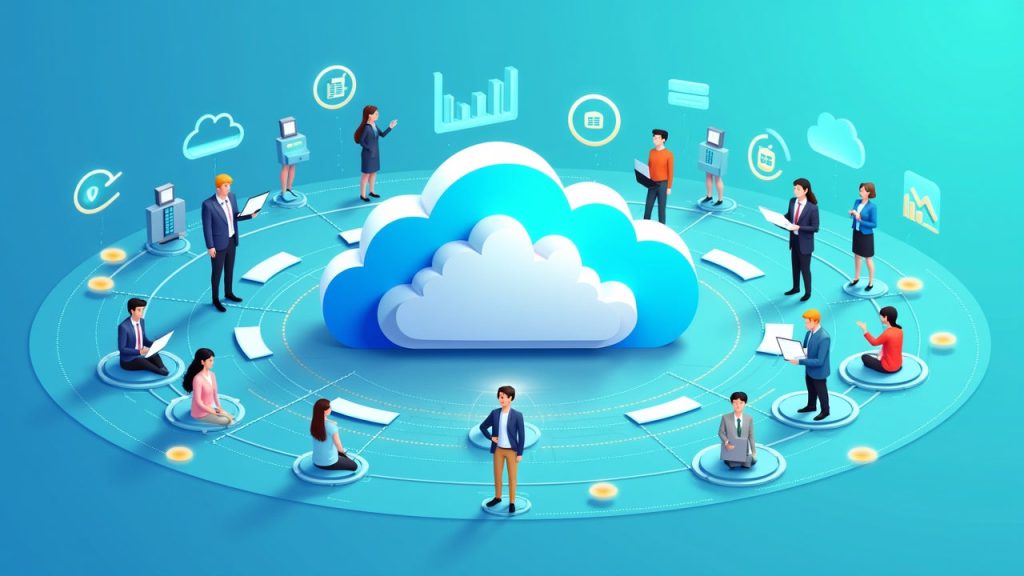
Cloud models and multi-tenant architecture provide the platform context. Exchange, Teams, SharePoint, OneDrive and Yammer introduce the service landscape, while co-authoring and workflows connect the tools with shared work.
Connect identity with information management
Single sign-on, synchronization and federation are covered alongside permissions and access. Data-loss-prevention, retention and eDiscovery concepts add the governance perspective.
Migration, usage reporting and organizational adoption extend the material to how a productivity environment changes and how its use is understood. The course is relevant to learners reviewing cloud productivity administration and collaboration.
The recording uses historical Office 365, Yammer and Azure AD naming. Review the services and interfaces in that context before adapting the material for another version.
Use PLR for cloud productivity education
A PLR license lets you modify, rebrand and resell the course. You could tailor it for a collaboration-administration learning offer or use it as an ecosystem overview. Add your own version-specific context and examples where they help your audience.
License rights
| Right | PLR |
|---|---|
| Selling the course | |
| Product may be sold separately | YES |
| Product may be bundled with other products | YES |
| Product can be a bonus for another product | YES |
| Can be sold as a physical product | YES |
| Can be sold as a digital product | YES |
| Passing on rights | |
| Can offer Resale Rights | NO |
| Can offer Master Resale Rights | NO |
| Can offer Private Label Rights | NO |
Show all 23 rights Show fewer rights
| Right | PLR |
|---|---|
| Memberships, bonuses and lists | |
| Can be added to paid membership sites | YES |
| Can add bonuses to the Product for sale | YES |
| Can be used to build a list | YES |
| Rebranding and editing | |
| You may put your own name on the sales letter | YES |
| You may rename the product | YES |
| You may edit the sales material | YES |
| You may edit the content of the product | YES |
| You may use the source code/material to create new products | YES |
| You may use the name(s) of the author/creator/seller of the Product | YES |
| Can translate the course into other languages | YES |
| Not allowed with any license | |
| Can be used for YouTube or other free video sites | NO |
| Can be added to free membership sites | NO |
| Can be given away for free | NO |
| Can be used or sold on Uthena | NO |
| Can be used or sold on Soofos, Udemy, Skillshare or other course marketplaces you don't own | NO |
Questions
What do I receive with a PLR or MRR license?
Downloadable package available: the complete course comes as files you download. The lessons are listed below; their online videos are still being added. PLR and MRR include a license key. Sales copy, editable formats and extras depend on the supplied package; check the listed contents.
What does lifetime access mean?
You can follow the course online for as long as it is available on Uthena. Downloadable files are guaranteed for 12 months from your purchase, so download them and keep your own copy.
Can I cancel my order?
Yes, within 7 days of your purchase: request a refund from your Uthena account. After 7 days an order can no longer be cancelled.
What if I want to speak to someone?
Email info@uthena.com, or support@uthena.com about an order, or use the contact form. We reply within two business days.
Related courses
-
AI Courses -
AI Courses YouTube Long Form Content Masterclass
Lambros Lazopoulos from $57.00 PLR -
Educational Courses CompTIA SecAI Certification Crash Course
Joseph Holbrook from $299.00 PLR -
Educational Courses Intro to LLM Security – OWASP Top 10 for Large Language Models
Joseph Holbrook from $69.00 PLR