
Node.js Backend for Flutter Beginners
Connect a Flutter notes app to a custom Node.js and MongoDB backend.
From $67.81 Choose a license
- Format
- Course
- Lessons
- 25
- Licenses
- PLR · MRR
What's in the PLR package
- Node js Backend for Flutter Beginners.zip 2.7 GB
- Sales copy (Word document) Description 14 KB
Download links unlock in your account right after purchase.
Uthena newsletter
Get 10% off this course
Join the newsletter for new courses and deals. Your code shows right after you sign up.
Curriculum
Course content
- Video lesson: Nodejs Flutter PromotionalFree preview1m
Node Server Configuration
- Lesson: Setup a Node js Project
- Lesson: Creating Routes
- Lesson: Setup MongoDB Atlas
- Lesson: Connect Node app to MongoDB
Working on Routes
- Lesson: Creating Note Model
- Lesson: Route for Adding Note
- Lesson: Get Notes by User Id
- Lesson: Route for Update and Delete
- Lesson: Organise our Routes
Deploy to Railway
- Lesson: Push Code to Github
- Lesson: Deploy your repository
Flutter Configuration
- Lesson: Create a Flutter Project
- Lesson: Create Note model
- Lesson: Home Page UI
- Lesson: Add a Note UI
Implement Provider
- Lesson: Creating Notes Provider
- Lesson: Show Notes in Home page
- Lesson: Work on Edit Note page
MongoDB API Integration
- Lesson: Function to Add Note
- Lesson: Functionality to Update and Delete
- Lesson: Function to Fetch Notes
Install SharedPreferences
- Lesson: Function to store userid
- Lesson: Test the Complete Application
- Lesson: Resources
About this course
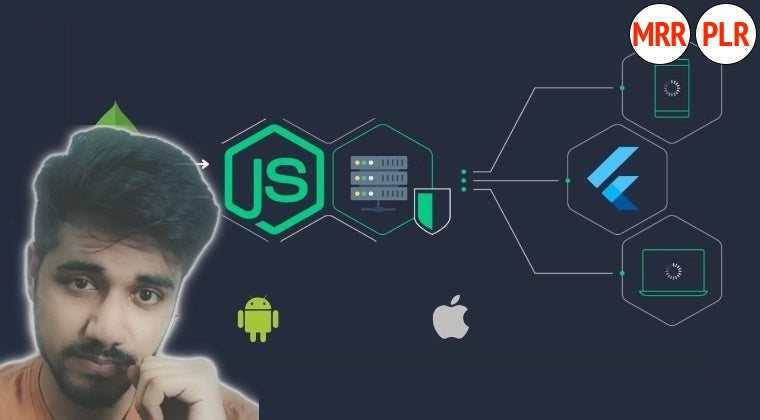
Connect a Flutter notes app to a custom Node.js and MongoDB backend. This course follows both sides of the application, from server routes and data models to Flutter screens, state management and API calls.
Follow a note from the screen to the database
The backend sequence sets up a Node.js project, creates routes and connects to MongoDB Atlas. A note model supports adding notes, fetching them by user ID, updating and deleting. Organizing routes, pushing code to GitHub and recorded Railway deployment steps extend the server workflow.
- Configure the Node.js server and MongoDB connection.
- Create routes for adding, reading, updating and deleting notes.
- Build the Flutter home, add-note and edit-note screens.
- Implement Provider and connect the interface with API calls.
- Store the demonstrated user ID with SharedPreferences and test the app.
The course expects basic Flutter and Dart, familiarity with Node.js and REST APIs, and a Flutter SDK/VS Code setup. It suits Flutter developers ready to examine a backend they can work on directly. Hosting and database access are separate, and provider interfaces and pricing may differ from the recorded deployment. A custom backend also needs its own maintenance and security work as a project grows.
With PLR, you can modify, brand and resell this training. Its end-to-end notes project offers a clear topic for learners moving from Flutter interfaces into server-backed applications.
Requirements
- A basic understanding of Flutter and Dart.
- Familiarity with Node.js.
- An understanding of RESTful APIs.
- Flutter SDK and VS Code installed on your machine.
Who this course is for
- Flutter developers wanting to expand their skill set with custom backend development.
- Entrepreneurs and startup founders looking to create cost-effective, flexible backend solutions.
- Freelancers aiming to provide comprehensive app development services, including backend capabilities.
- Students and tech enthusiasts eager to delve into backend development tailored for Flutter applications.
License rights
| Right | PLR | MRR |
|---|---|---|
| Selling the course | ||
| Product may be sold separately | YES | YES |
| Product may be bundled with other products | YES | YES |
| Product can be a bonus for another product | YES | YES |
| Can be sold as a physical product | YES | YES |
| Can be sold as a digital product | YES | YES |
| Passing on rights | ||
| Can offer Resale Rights | NO | YES |
| Can offer Master Resale Rights | NO | NO |
| Can offer Private Label Rights | NO | NO |
Show all 23 rights Show fewer rights
| Right | PLR | MRR |
|---|---|---|
| Memberships, bonuses and lists | ||
| Can be added to paid membership sites | YES | YES |
| Can add bonuses to the Product for sale | YES | YES |
| Can be used to build a list | YES | YES |
| Rebranding and editing | ||
| You may put your own name on the sales letter | YES | YES |
| You may rename the product | YES | YES |
| You may edit the sales material | YES | YES |
| You may edit the content of the product | YES | YES |
| You may use the source code/material to create new products | YES | YES |
| You may use the name(s) of the author/creator/seller of the Product | YES | YES |
| Can translate the course into other languages | YES | YES |
| Not allowed with any license | ||
| Can be used for YouTube or other free video sites | NO | NO |
| Can be added to free membership sites | NO | NO |
| Can be given away for free | NO | NO |
| Can be used or sold on Uthena | NO | NO |
| Can be used or sold on Soofos, Udemy, Skillshare or other course marketplaces you don't own | NO | NO |
Questions
What do I receive with a PLR or MRR license?
Downloadable package available; online curriculum listed. Check the file list and curriculum below for contents. PLR and MRR include a license key. Sales copy, editable formats and extras depend on the supplied package; check the listed contents.
Do I need PLR or MRR?
PLR lets you rebrand, edit and sell the course as your own. MRR adds the right to let your buyers resell it. If you only sell the course yourself, PLR is enough.
What does lifetime access mean?
You can follow the course online for as long as it is available on Uthena. Downloadable files are guaranteed for 12 months from your purchase, so download them and keep your own copy.
Can I cancel my order?
Yes, within 7 days of your purchase: request a refund from your Uthena account. After 7 days an order can no longer be cancelled.
What if I want to speak to someone?
Email info@uthena.com, or support@uthena.com about an order, or use the contact form. We reply within two business days.
Related courses
-
Programming Courses -
Programming Courses Mastering Software Automation Testing for Quality, Risk & Reliability
Peter Alkema $79.00 PLR -
Programming Courses Mastering Linux Automation: Shell Scripting Concepts & Operations
Peter Alkema $79.00 PLR -
Programming Courses Mastering Linux Administration: Roles, Security, Uptime, Strategy
Peter Alkema $79.00 PLR